WhatsApp Broadcast Kaise Karein — Complete Guide 2026
WhatsApp par apne customers ko ek saath message karna chahte hain? WhatsApp broadcast woh feature hai jo aapke business ko scale karne mein help karta hai — bina ek-ek karke message bheje.
Is guide mein aap seekhenge:
- WhatsApp broadcast kya hota hai
- WhatsApp Business App se broadcast kaise karein
- WhatsApp Business API se unlimited broadcast kaise karein
- Broadcast ka sahi tarika (ban se bachne ke liye)
WhatsApp Broadcast Kya Hai?
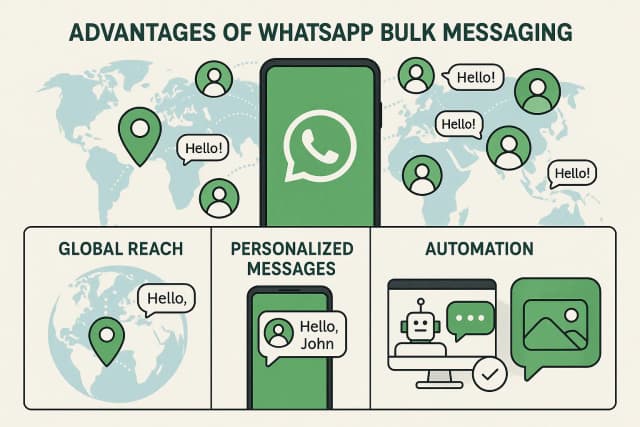
WhatsApp broadcast ek aisa feature hai jisme aap ek hi message kai contacts ko alag-alag bhej sakte hain. Har contact ko laga ki message sirf unhe personally aaya hai — group ki tarah nahi dikhta.
Example: Aapka clothing store hai. Diwali sale ka message 5,000 customers ko ek saath bhejna hai. Broadcast se yeh seconds mein ho jaata hai.
Broadcast vs Group
| Feature | Broadcast | Group |
|---|---|---|
| Recipients ek doosre ko dikhte hain? | Nahi | Haan |
| Personal lagta hai? | Haan | Nahi |
| Reply kahan jaata hai? | Sirf aapko | Sab ko |
| Marketing ke liye sahi? | ✅ | ❌ |
Method 1: WhatsApp Business App se Broadcast (Free, Limited)
WhatsApp Business App se broadcast karna bilkul free hai lekin kuch limitations hain.
Step 1: WhatsApp Business App open karein
Mobile mein WhatsApp Business App open karein (WhatsApp Business App alag hota hai — normal WhatsApp se nahi hoga).
Step 2: New Broadcast banayein
- Top-right mein ⋮ (three dots) tap karein
- "New broadcast" select karein
- Jo contacts add karne hain unhe select karein (max 256)
- Green checkmark tap karein
Step 3: Message likhein aur bhejein
Message type karein — text, image, video, PDF — sab bhej sakte hain. Send karein.
Limitations (Important):
- Maximum 256 contacts per broadcast
- Sirf wo contacts receive kar sakte hain jinhone aapka number save kiya ho
- No scheduling — abhi bhej sakte hain, baad ke liye nahi
- No analytics — delivery/read rate nahi pata
- Personal accounts ke liye, business ke liye WhatsApp Business API better hai
Method 2: WhatsApp Business API se Broadcast (Unlimited, Professional)
Agar aapka business grow ho raha hai aur aapko 1,000+ contacts ko broadcast karna hai, toh WhatsApp Business API ka rasta lo.
API Broadcast ke Fayde:
- Koi limit nahi — lakho contacts ko ek saath broadcast
- Scheduling — kab bhejna hai set kar sakte ho
- Analytics — delivery rate, read rate, click rate sab dikhta hai
- Segmentation — specific customers ko target karo (city, purchase history, etc.)
- Opt-in contacts — sirf permission walon ko message (account safe rehta hai)
duochat se Broadcast Kaise Karein (Step-by-Step)
duochat ek WhatsApp Business API platform hai jo broadcasting ko easy aur safe banata hai.
Step 1: Account banao
duochat par sign up karein — 7-day free trial hai, credit card nahi chahiye.
Step 2: WhatsApp number connect karein
Dashboard mein jaao → Settings → WhatsApp Channel → apna WhatsApp Business number connect karein. duochat ka team setup mein help karta hai.
Step 3: Contact list upload karein
Contacts CSV mein export karein (Excel/Google Sheets se) aur duochat mein import karein. Name, phone number, aur custom fields (city, plan type, etc.) add kar sakte hain.
Step 4: Message template approve karao
WhatsApp Business API mein broadcast ke liye approved template zaroori hai. duochat mein template banao, submit karo — approval usually 1-2 ghante mein milti hai.
Template example (sale ke liye):
Namaste {{1}},

🎉 {{2}} Sale shuru ho gayi hai!

Aaj hi dekho: {{3}}

Reply STOP to opt out.
Step 5: Broadcast campaign set up karein
- Dashboard → Broadcasts → New Campaign
- Contact segment choose karo
- Approved template select karo
- Schedule karo ya abhi bhejo
- Launch!
Step 6: Results dekho
Campaign ke baad analytics dashboard mein dekho:
- Kitno ko deliver hua
- Kitno ne padha
- Kitno ne reply kiya
- Kitno ne opt-out kiya
Broadcast se Ban Kaise Bachein
WhatsApp ban lagana serious hai — ek baar ban ho gaya toh number recover karna mushkil hai. Yeh rules follow karein:
✅ Yeh karo:
- Sirf opted-in contacts ko message karo — jinhone explicitly agree kiya ho
- Approved templates use karo — random message mat bhejo
- Official WhatsApp Business API use karo — unofficial tools = ban risk
- Opt-out option dena zaroori hai — "Reply STOP" type ki line add karo
- Frequency limit karo — ek hi contact ko din mein zyada messages mat bhejo
❌ Yeh mat karo:
- Unknown numbers ko cold broadcast mat karo
- Unofficial "WhatsApp bulk sender" tools use mat karo
- Same message baar baar quickly mat bhejo (spam filter trigger hota hai)
- Bina template ke broadcast mat karo (API par)
Best Broadcast Tools — Comparison
| Tool | Limit | Scheduling | Analytics | Starting Price |
|---|---|---|---|---|
| duochat | Unlimited | ✅ | ✅ Full | $145/year |
| WhatsApp Business App | 256 contacts | ❌ | ❌ | Free |
| Wati | Unlimited | ✅ | Basic | ~$99/mo |
| AiSensy | Unlimited | ✅ | Basic | Free + pay-per-conv |
duochat ka advantage: sirf broadcast nahi — AI calling se un contacts ko follow-up call bhi kar sakte hain jo message ka reply nahi dete. Aur Instagram Ads Manager se Click-to-WhatsApp ads bhi usi dashboard se chal sakte hain.
Broadcast ke Best Practices
1. Sahi time par bhejo
Morning 9-11am aur evening 6-8pm best hota hai India ke liye. Research kehti hai Tuesday-Thursday highest open rate deta hai.
2. Personalization add karo
Namaste {{customer_name}},
Aapka last order {{product_name}} ka tha...
Generic message se zyada response aata hai personalized se.
3. Clear CTA rakho
Ek message mein ek hi action kaho. "Abhi order karo" ya "Discount lo" — dono ek saath mat kaho.
4. Small batch se test karo
Pehli baar 50-100 contacts ko test broadcast karo. Response dekho, phir full list par bhejo.
5. Opt-out track karo
Jo log opt-out karein unhe future broadcasts se hatao. Yeh WhatsApp policy bhi hai aur customer trust bhi banata hai.
Conclusion
WhatsApp broadcast ek powerful tool hai — sahi tarike se use karein toh sales badhti hai, customer engagement improve hota hai.
Short mein:
- Small business (256 contacts tak): WhatsApp Business App ka broadcast use karo — free hai
- Growing business (1,000+ contacts): WhatsApp Business API chahiye — duochat best option hai
duochat free trial shuru karein — 7 din mein dekho broadcast kitna effective hai aapke business ke liye.
Ya pehle demo book karein — team aapko pura setup samjhayegi.