Contacts Analytics
Overview
Contacts Analytics gives you a clear understanding of how your contact list is growing or shrinking over time. This dashboard helps you measure lead generation, evaluate the impact of marketing efforts, and monitor data cleanup activities inside your workspace.
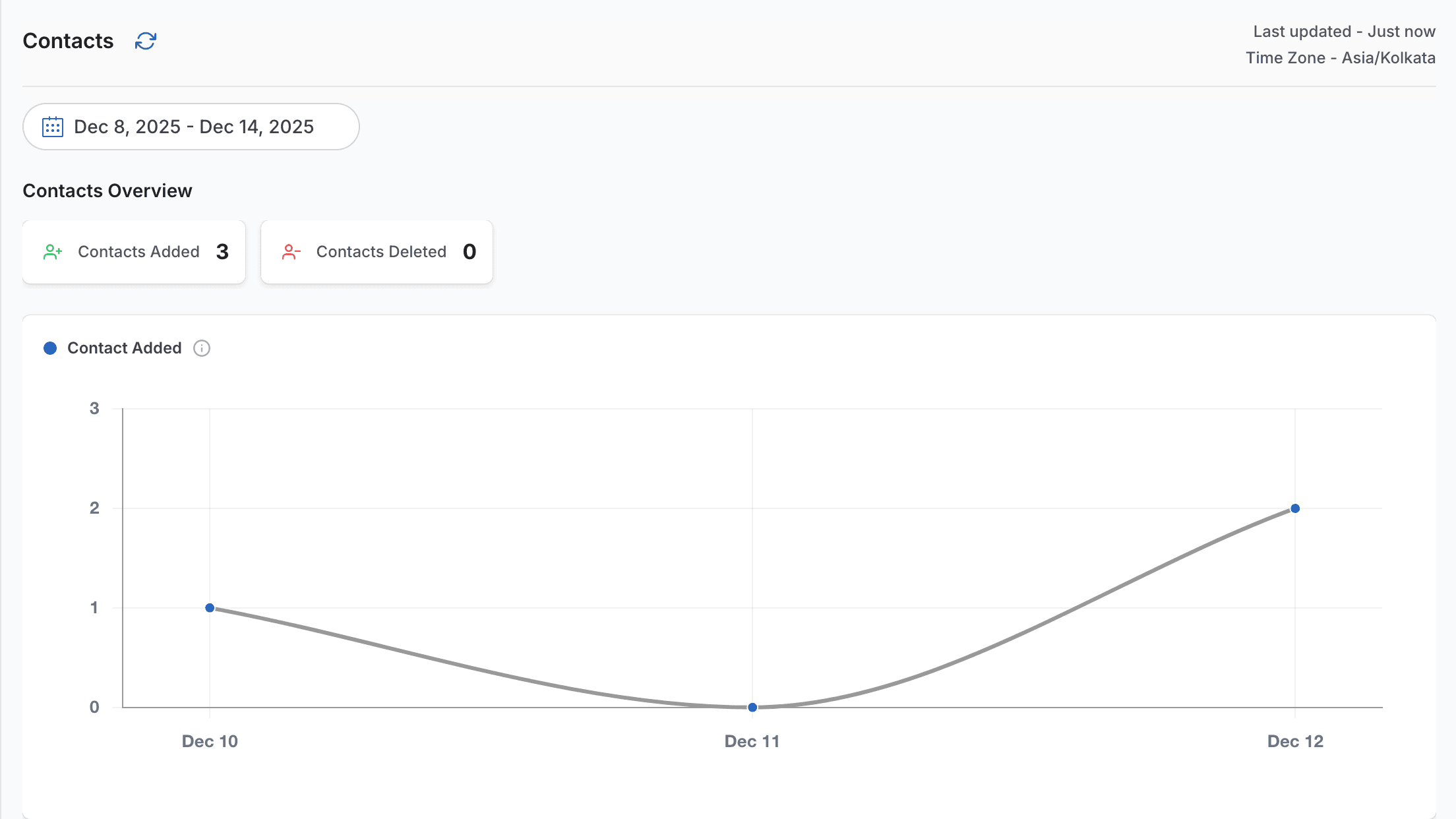
It displays the total number of contacts added and deleted during a selected date range, along with daily charts for deeper visibility into contact trends.
Contacts Added
Contacts Added represents all new leads or customers added during the selected period.
This metric helps you track:
- Marketing and campaign performance
- Lead acquisition trends
- Days with the highest inflow of new contacts
The daily chart highlights overall growth patterns, sudden spikes in lead generation, and periods of low activity.
Contacts Deleted
Contacts Deleted shows how many contacts were removed within the selected date range.
Common reasons for contact deletion include:
- Duplicate entries
- Invalid or unreachable phone numbers
- GDPR or data compliance requests
- Manual database cleanup
The deletion chart helps you maintain a clean and healthy contact database while avoiding unnecessary messaging costs.
On this page