Tags
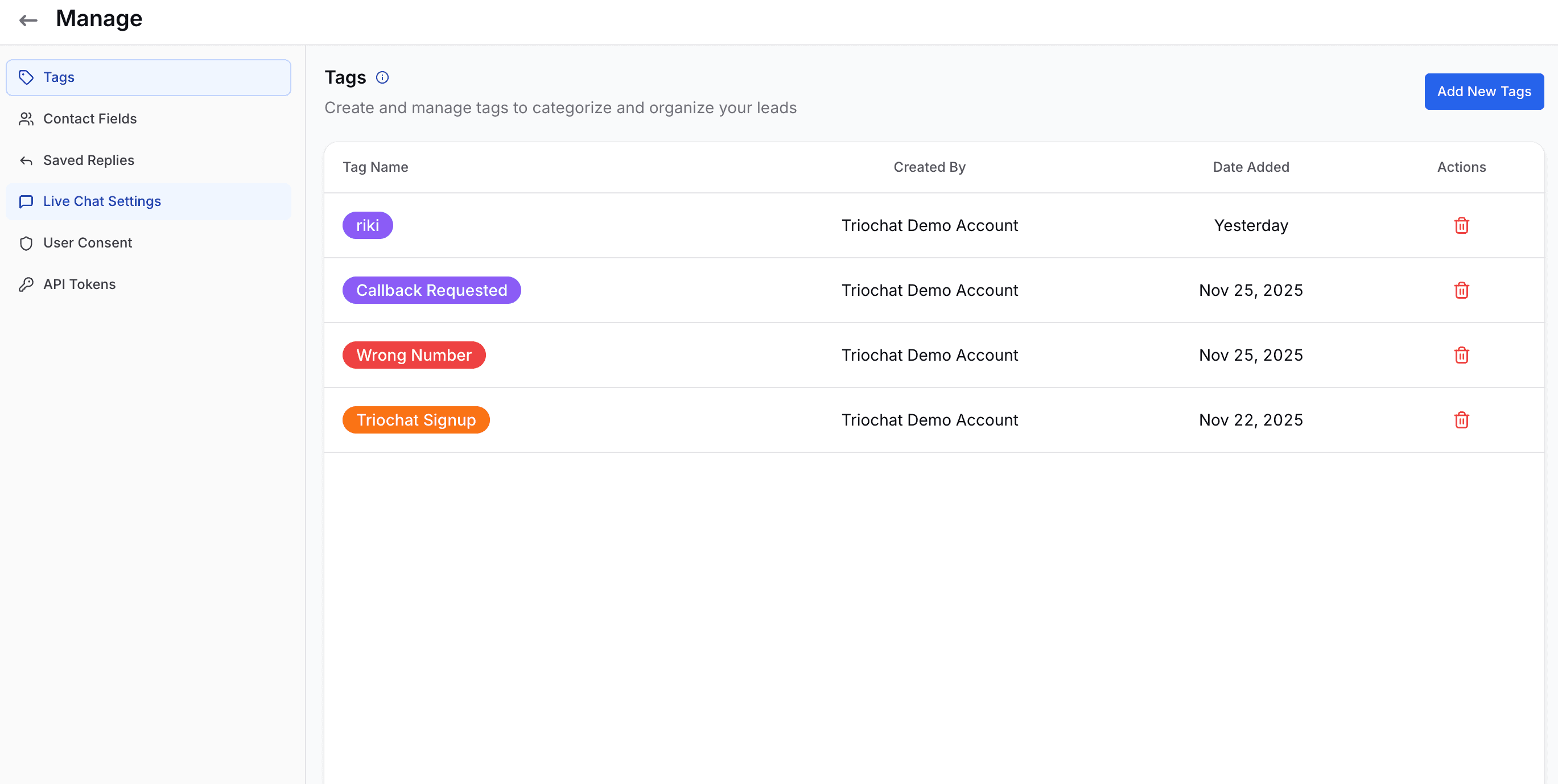
Tags help you categorize and track your leads in a structured and meaningful way. You can use tags to highlight a customer’s intent, status, or journey stage-for example Callback Requested, Wrong Number, or Signup Lead.
When you open the Tags page, you can view all existing tags along with details such as who created them, when they were added, and options to manage or delete them. Tags are color-coded, making it easy for your team to quickly identify lead types while viewing conversations in the inbox.
Creating a New Tag
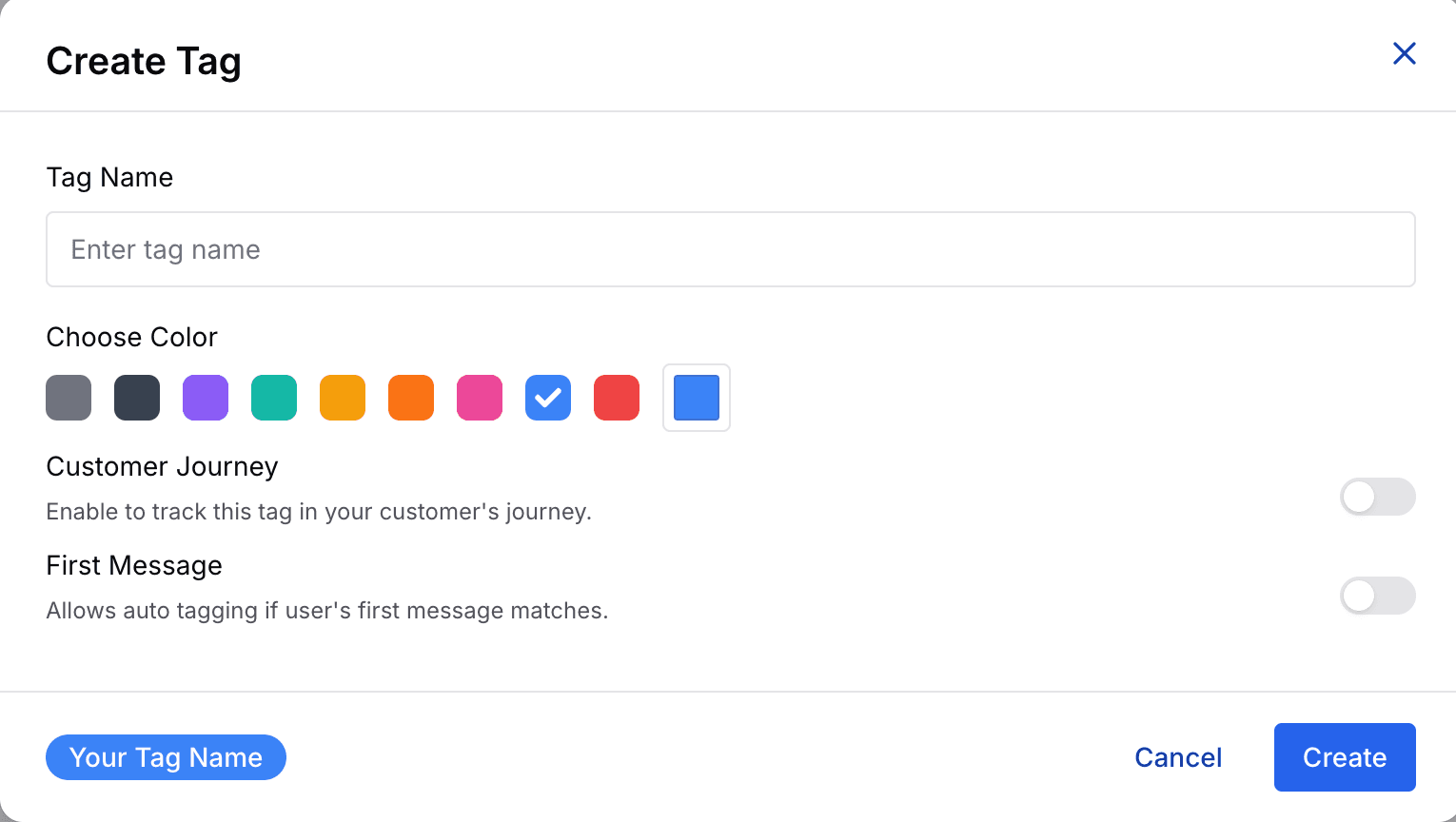
When you choose to create a new tag, you can configure the following options:
- Tag Name – Enter a clear and descriptive label
- Color – Select a color for easy visual recognition
- Customer Journey (optional) – Enable this to track customer progress across different stages
- First Message Auto-Tagging (optional) – Automatically apply the tag if a user’s first message matches specific conditions
Once created, tags become available across conversations, automations, and filtering options.
Tags help improve lead organization, enable automation, and make your team’s communication faster, more consistent, and more efficient.
On this page