Add a Comment
Add a Comment
What Is the Add a Comment Feature?
The Add a Comment feature in duochat allows team members to add private notes or internal messages within a conversation.
These comments are visible only to your team and never shown to the contact, making them perfect for internal collaboration, sharing context, and ensuring smooth handovers between agents.
For example, a support agent can leave a private note like:
“Customer requested a callback tomorrow at 3 PM.”
This ensures the next team member knows exactly what to do—without sending anything to the customer.
Configuration of Add a Comment
Setting up this feature is simple and quick:
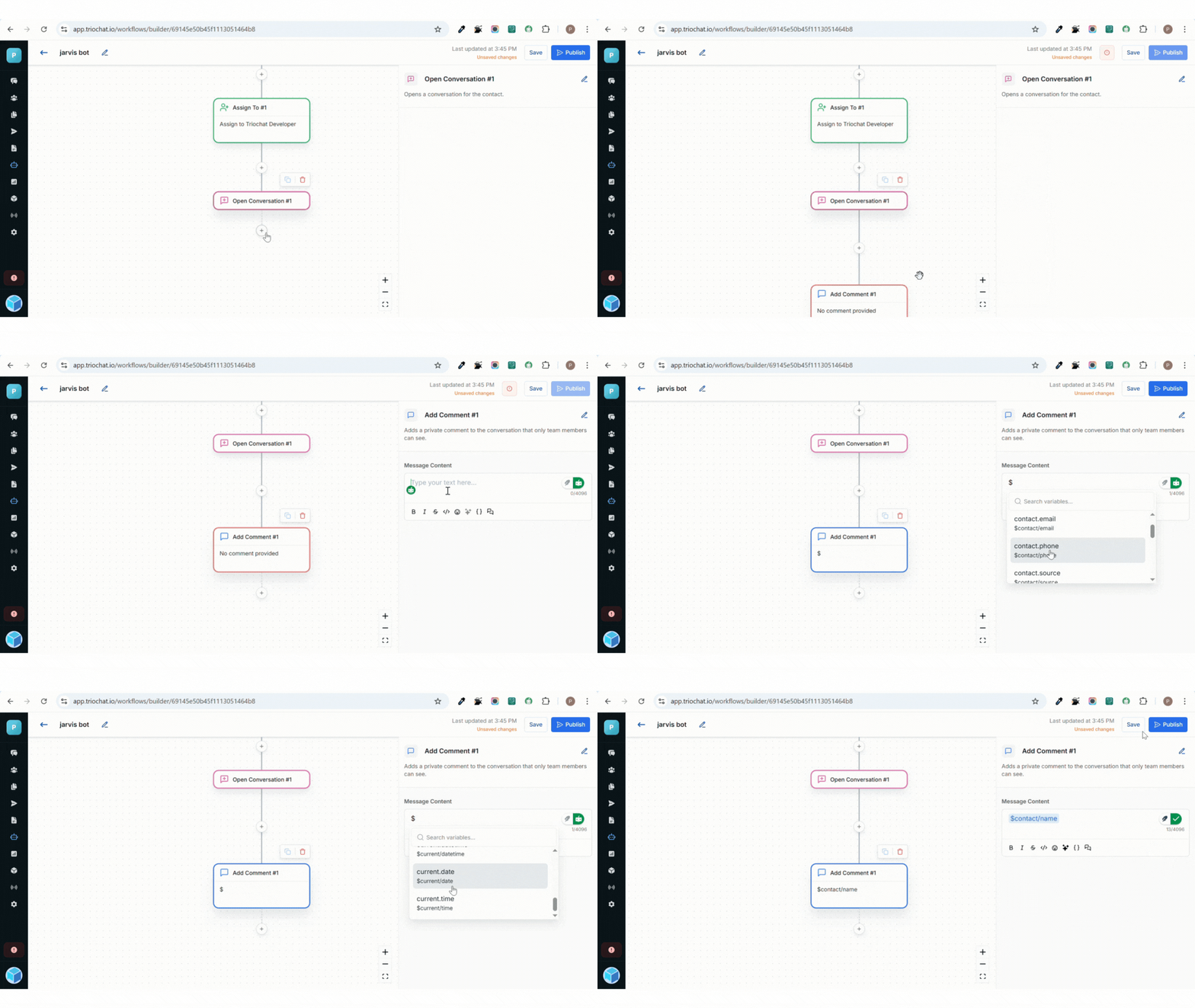
Write Your Comment
In the configuration panel, you’ll find a text field where you can type your internal note.
Write clear and specific comments so team members can easily understand the context of the conversation.
Comments can include:
- Instructions
- Feedback
- Progress updates
- Follow-up reminders
Examples:
- “Order confirmed, waiting for dispatch update.”
- “Customer might be interested in premium plan — follow up next week.”
How It Works
When the workflow reaches the Add a Comment step, duochat automatically attaches the note to the conversation thread.
This internal comment:
- Appears in the chat history visible only to your team
- Is not sent to the customer or external contact
- Can be viewed by any team member who handles the conversation later
This ensures smooth internal communication, especially when multiple agents collaborate on the same support case or lead.
Best Practices
Keep Comments Clear and Action-Oriented
Write comments that give direct context or next steps. Avoid long or vague notes.
Example: Instead of “Follow up later,” write “Follow up on payment confirmation by 5 PM.”
Use Comments for Smooth Handoffs
When transferring a conversation to another team member or department, add a comment explaining what has been done and what’s pending.
This prevents confusion and ensures smooth continuity in customer support.
In Summary
The Add a Comment feature in duochat improves internal teamwork by allowing private, structured notes inside conversations. These comments help your team stay aligned, share context, and coordinate smoothly — all without interrupting or affecting the customer's actual chat experience.
On this page