User Consent
Overview
The User Consent section helps you manage how customers subscribe or unsubscribe from receiving messages through WhatsApp.
Since WhatsApp requires businesses to communicate only with users who have explicitly opted in, this section ensures your messaging practices remain compliant, transparent, and respectful of customer preferences.
User Consent is divided into two main parts: Opt-In and Opt-Out. Each section allows you to define customer keywords and automated response messages.
Opt-In Configuration
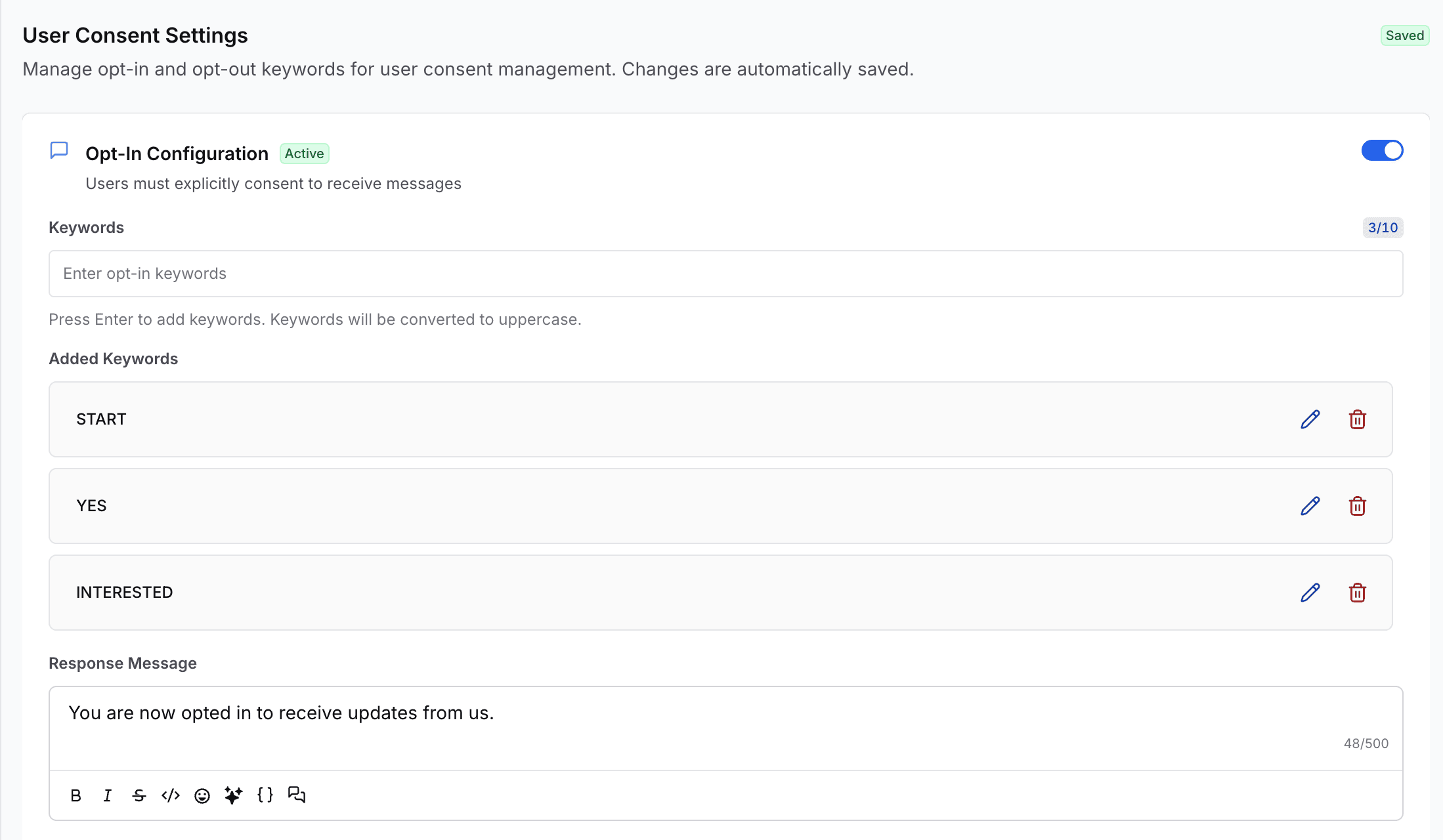
Opt-In allows customers to grant permission to receive notifications, updates, promotions, reminders, or any other business communication from you.
Enable or Disable Opt-In
You can activate or deactivate the Opt-In feature using a simple toggle.
- Enabled – Customers can subscribe using opt-in keywords
- Disabled – No customer will be added to your opt-in list, even if they send a keyword
Opt-In Keywords
You can define specific keywords that customers must send to subscribe.
Common examples include:
- START
- YES
- INTERESTED
- SUBSCRIBE
Keywords are automatically converted to uppercase to ensure consistency and avoid mismatched variations.
Customers only need to send one active keyword to be successfully added to your opt-in list.
Response Message
After a customer sends an opt-in keyword, duochat automatically sends a confirmation message.
You can fully customize this message. Example:
“You are now subscribed to our updates. We'll keep you informed with the latest alerts and offers!”
This confirmation reinforces transparency and builds customer trust.
Opt-Out Configuration
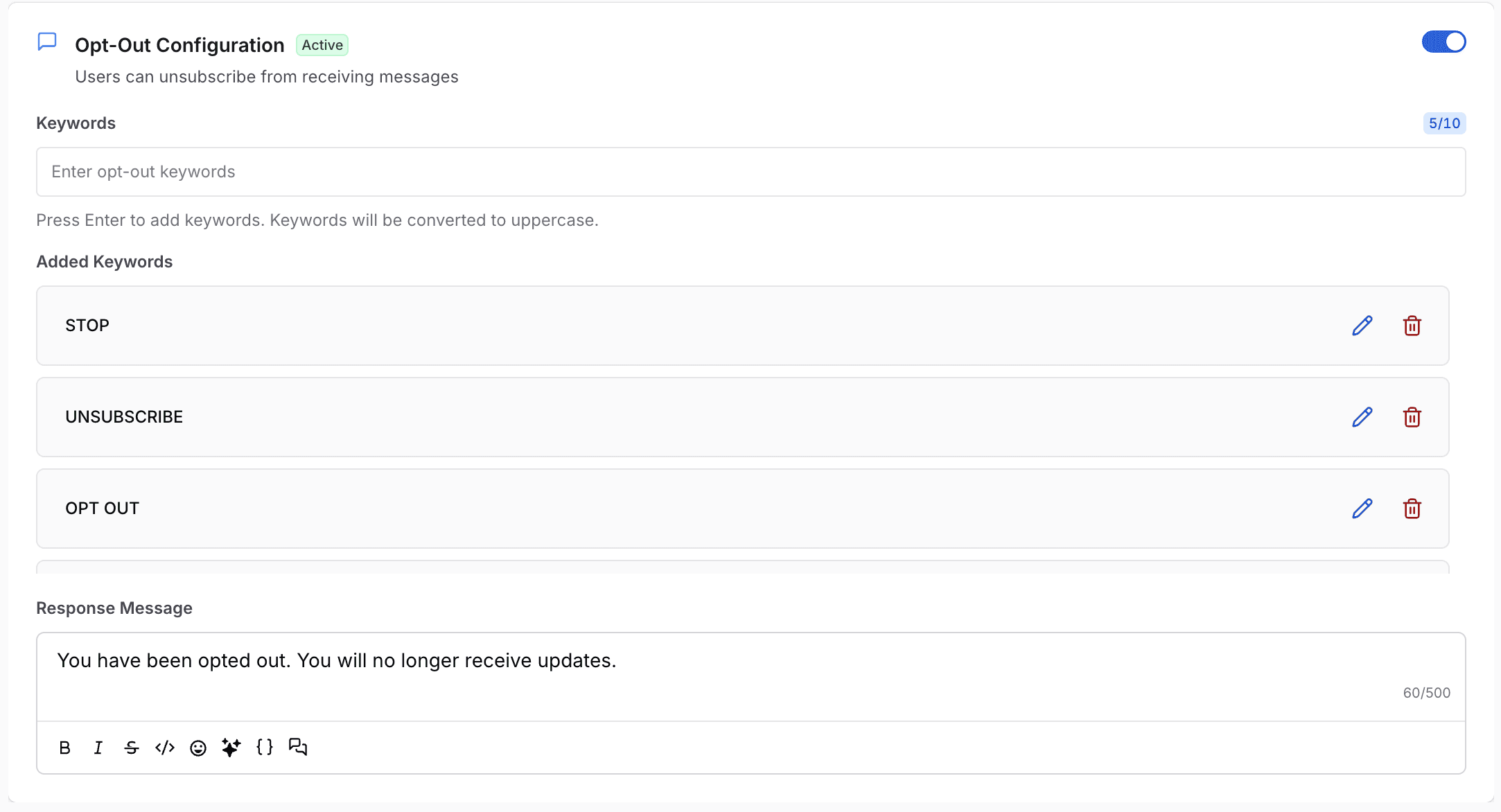
Opt-Out allows customers to unsubscribe from receiving messages at any time.
This is a mandatory compliance requirement for WhatsApp Business messaging.
Enable or Disable Opt-Out
You can enable or disable the opt-out process using a toggle.
- Enabled – Customers can unsubscribe using opt-out keywords
- Disabled – Opt-out actions are temporarily inactive
Opt-Out Keywords
Define the keywords customers can send to unsubscribe from your messages.
Common examples include:
- STOP
- UNSUBSCRIBE
- OPT OUT
These keywords are also displayed in uppercase for clarity and consistency.
When a customer sends any opt-out keyword, they are immediately removed from your subscription list.
Response Message
You can set a confirmation message acknowledging that the customer has been unsubscribed.
Example:
“You have been unsubscribed. You will no longer receive notifications from us.”
This ensures your business remains compliant while respecting user preferences.
On this page